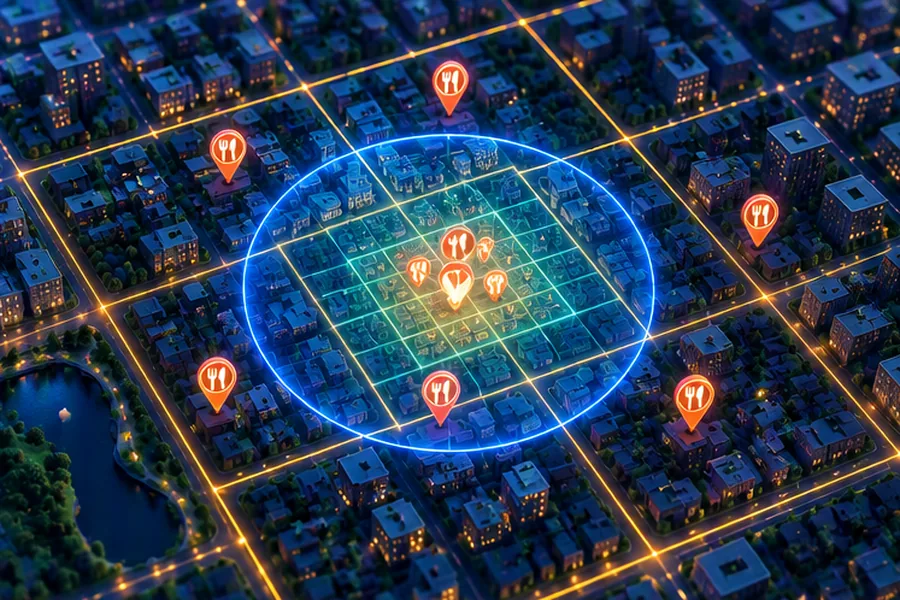
- A proximity service answers "businesses within R km of (lat, lng)". It is extremely read-heavy and the business data changes slowly, so precomputation and caching win.
- Two-column B-tree indexes on lat and lng can't answer 2-D range queries efficiently. Use a geospatial index: geohash, quadtree, S2 or H3.
- Geohash: string prefixes, works in any DB or cache, but always query the cell + 8 neighbours. Quadtree: adapts to density, in memory. S2/H3: better-shaped cells and precise region covering.
- Radius query = pick a cell size ≥ radius → collect covering cells → fetch candidate IDs → exact haversine filter → rank → paginate.
- Separate the location service (stateless, read replicas or in-memory index, cache by geohash) from the business service (CRUD, source of truth). Index updates can be near-real-time or nightly.
"Find restaurants near me" is one of the most common system design prompts, asked as Yelp, Google Places, Zomato's restaurant listing or "nearby friends". It is a great interview question because the hard part is a single, well-defined algorithmic problem (2-D proximity search) embedded in an otherwise classic read-heavy architecture. If you understand why a normal database index fails and how geospatial indexes fix it, you can design the rest confidently.
The Problem in One Sentence
Given a user at (12.9716, 77.5946) in central Bengaluru, return the best businesses within a radius (500 m, 1 km, 2 km, 5 km...), optionally filtered by category ("cafes"), ranked and paginated, in well under 200 ms, for tens of thousands of such requests per second.
We'll design for static points (restaurants, shops, petrol pumps). Moving points (drivers, riders, friends) have a very different write profile; that variant is covered in Uber/Ola system design, and the dispatch angle in Swiggy/Zomato system design.
Requirements
Functional
- Search nearby businesses by location and radius, with optional category and "open now" filters.
- View business details (name, address, photos, rating, hours).
- Business owners add, update or delete listings. Changes may take minutes (even until the next day) to appear in search; confirm this with the interviewer because it simplifies the design a lot.
Non-functional
- Low latency for search (p99 under ~200 ms end to end).
- High availability; search is the product.
- Scales with read QPS, which peaks at lunch and dinner and around weekends.
- Privacy: user locations used for the query should not be stored longer than needed.
Back-of-Envelope Numbers
- Businesses: 200 million worldwide (or ~20 million for an India-only product). Assume the global number.
- Users: 100 million DAU, 5 searches/day → 500M searches/day → 500M / 86,400 ≈ 5,800 QPS average; with a 3x peak, ~17,000 QPS.
- Business writes: maybe 1% of businesses change something per day → 2M writes/day ≈ 23 writes/s. Negligible.
- Business data: 200M × ~1 KB (excluding photos) ≈ 200 GB. Fits in a sharded SQL cluster easily.
- Location index: (business_id 8 B + geohash/coordinates ~16 B) × 200M ≈ 5 GB with overhead. That fits in memory on a single modern server, which is a decisive observation: the index can be replicated, not sharded.
API
GET /v1/search/nearby?lat=12.9716&lng=77.5946&radius_m=2000
                     &category=cafe&open_now=true&page_token=...
→ 200 {
    "results": [
      { "business_id": 8812, "name": "Third Wave Coffee", "distance_m": 420,
        "rating": 4.4, "lat": 12.9741, "lng": 77.5970 }, ...
    ],
    "next_page_token": "eyJvZmZzZXQiOjIwfQ"
  }

GET    /v1/businesses/{id}
POST   /v1/businesses          (owner)
PUT    /v1/businesses/{id}     (owner)
DELETE /v1/businesses/{id}     (owner)
Keep search responses small (IDs, name, distance, rating, coordinates for the map pins) and fetch full details on tap. Use an opaque page token rather than raw offsets so you can change pagination internals later.
Why a Plain SQL Query Fails
The first idea is:
SELECT id FROM business
 WHERE lat BETWEEN 12.9536 AND 12.9896
   AND lng BETWEEN 77.5762 AND 77.6130;
With separate indexes on lat and lng, the database can use one index to find everything in the latitude band (a strip around the whole planet), and another for the longitude band (a strip pole to pole), then intersect them. Each strip contains millions of rows. A composite index (lat, lng) doesn't help much either: it can range-scan lat but must then filter lng row by row within that band.
The fundamental problem: B-trees order data in one dimension. We need a way to map 2-D space to 1-D keys such that points close in space are mostly close in key order. That is exactly what geohash, quadtrees, S2 and H3 do. (Databases that support this natively, such as PostGIS with GiST indexes, use R-tree-like structures; a valid answer is "PostGIS ST_DWithin with a GiST index", but interviewers usually want you to explain the underlying idea.)
Geohash: Space-Filling Strings
Geohash divides the world in half by longitude (bit 0 = west, 1 = east), then in half by latitude, alternating, and encodes every 5 bits as one base-32 character. Each extra character divides the cell into 32 smaller cells.
| Length | Approx. cell size (at equator) | Good for radius |
|---|---|---|
| 4 | 39.1 km × 19.5 km | ~20 km |
| 5 | 4.89 km × 4.89 km | 2–5 km |
| 6 | 1.22 km × 0.61 km | 0.5–1 km |
| 7 | 153 m × 153 m | ~100 m |
| 8 | 38.2 m × 19.1 m | tens of metres |
Central Bengaluru (12.9716, 77.5946) is tdr1v at length 5 and tdr1v9 at length 6. Places that share a longer prefix are in the same smaller cell.
import math
BASE32 = "0123456789bcdefghjkmnpqrstuvwxyz"

def encode(lat, lon, precision=7):
    lat_lo, lat_hi = -90.0, 90.0
    lon_lo, lon_hi = -180.0, 180.0
    out, bits, nbits, even = [], 0, 0, True
    while len(out) < precision:
        if even:                                   # longitude bit
            mid = (lon_lo + lon_hi) / 2
            if lon >= mid: bits, lon_lo = bits * 2 + 1, mid
            else:          bits, lon_hi = bits * 2, mid
        else:                                      # latitude bit
            mid = (lat_lo + lat_hi) / 2
            if lat >= mid: bits, lat_lo = bits * 2 + 1, mid
            else:          bits, lat_hi = bits * 2, mid
        even = not even
        nbits += 1
        if nbits == 5:
            out.append(BASE32[bits]); bits, nbits = 0, 0
    return "".join(out)

def bbox(gh):
    lat_lo, lat_hi, lon_lo, lon_hi = -90.0, 90.0, -180.0, 180.0
    even = True
    for ch in gh:
        v = BASE32.index(ch)
        for shift in range(4, -1, -1):
            bit = (v >> shift) & 1
            if even:
                mid = (lon_lo + lon_hi) / 2
                if bit: lon_lo = mid
                else:   lon_hi = mid
            else:
                mid = (lat_lo + lat_hi) / 2
                if bit: lat_lo = mid
                else:   lat_hi = mid
            even = not even
    return lat_lo, lat_hi, lon_lo, lon_hi

def neighbors(gh):
    """The cell itself plus its 8 neighbours, found by stepping one cell
    width/height from the centre and re-encoding."""
    lat_lo, lat_hi, lon_lo, lon_hi = bbox(gh)
    clat, clon = (lat_lo + lat_hi) / 2, (lon_lo + lon_hi) / 2
    dlat, dlon = lat_hi - lat_lo, lon_hi - lon_lo
    cells = set()
    for dy in (-1, 0, 1):
        for dx in (-1, 0, 1):
            lat = max(-89.999999, min(89.999999, clat + dy * dlat))
            lon = (clon + dx * dlon + 180) % 360 - 180   # wrap the antimeridian
            cells.add(encode(lat, lon, len(gh)))
    return cells

def haversine_km(lat1, lon1, lat2, lon2):
    r = 6371.0
    p1, p2 = math.radians(lat1), math.radians(lat2)
    dp, dl = p2 - p1, math.radians(lon2 - lon1)
    a = math.sin(dp / 2) ** 2 + math.cos(p1) * math.cos(p2) * math.sin(dl / 2) ** 2
    return 2 * r * math.asin(math.sqrt(a))

print(encode(57.64911, 10.40744, 11))         # u4pruydqqvj (reference value)
print(encode(12.9716, 77.5946, 6))            # tdr1v9  (MG Road area)
print(encode(12.9352, 77.6245, 6))            # tdr1w6  (Koramangala)
print(sorted(neighbors("tdr1v9")))
# ['tdr1v2','tdr1v3','tdr1v6','tdr1v8','tdr1v9','tdr1vb','tdr1vc','tdr1vd','tdr1vf']
print(round(haversine_km(12.9716, 77.5946, 12.9352, 77.6245), 2))   # 5.18
The boundary problem
Two places 10 metres apart can sit on either side of a cell edge and share almost no prefix. Worst case: the line at the equator or the prime meridian, where points a metre apart differ in their first character. That is why a geohash radius search always queries the centre cell and its 8 neighbours. The reverse problem also exists: a shared prefix doesn't guarantee closeness within the radius, so you always finish with an exact distance filter.
Why geohash is popular in practice
- It is just a string: index it in MySQL (
WHERE geohash LIKE 'tdr1v%'uses a B-tree prefix range), use it as a Redis or Memcached key, or as a partition key in Cassandra/DynamoDB. - Redis's
GEOADD/GEOSEARCHare built on a 52-bit interleaved geohash stored as a sorted-set score (see Redis deep dive). - Changing precision is trivial: truncate the string.
Its weakness is uneven density: a 6-character cell in Bandra may hold 2,000 restaurants and one in rural Rajasthan none. Fixed-size cells mean wildly different result-set sizes. You handle that by choosing precision dynamically (start fine, widen until enough results) or by using a quadtree.
Quadtree: Cells That Adapt to Density
A quadtree starts with one node covering the whole map. Whenever a node holds more than K businesses (say 100), it splits into four children (NW, NE, SW, SE) and pushes its points down. Dense cities end up with deep, tiny leaves; empty regions stay as big leaves. Every leaf holds at most ~100 businesses, so a query touches a predictable amount of data.
#include <iostream>
#include <memory>
#include <vector>

struct Place { long long id; double lat, lng; };

struct Box {
    double minLat, minLng, maxLat, maxLng;
    bool contains(double lat, double lng) const {
        return lat >= minLat && lat < maxLat && lng >= minLng && lng < maxLng;
    }
    bool intersects(const Box& o) const {
        return !(o.minLat >= maxLat || o.maxLat <= minLat ||
                 o.minLng >= maxLng || o.maxLng <= minLng);
    }
};

class QuadTree {
    static const size_t CAPACITY = 100;   // split threshold
    static const int MAX_DEPTH = 20;
    Box box;
    int depth;
    std::vector<Place> places;
    std::unique_ptr<QuadTree> child[4];   // NW, NE, SW, SE

    bool isLeaf() const { return !child[0]; }

    void split() {
        double midLat = (box.minLat + box.maxLat) / 2;
        double midLng = (box.minLng + box.maxLng) / 2;
        child[0].reset(new QuadTree({midLat, box.minLng, box.maxLat, midLng}, depth + 1));
        child[1].reset(new QuadTree({midLat, midLng, box.maxLat, box.maxLng}, depth + 1));
        child[2].reset(new QuadTree({box.minLat, box.minLng, midLat, midLng}, depth + 1));
        child[3].reset(new QuadTree({box.minLat, midLng, midLat, box.maxLng}, depth + 1));
        for (const Place& p : places) insertIntoChild(p);
        places.clear();
        places.shrink_to_fit();
    }

    void insertIntoChild(const Place& p) {
        for (auto& c : child)
            if (c->box.contains(p.lat, p.lng)) { c->insert(p); return; }
    }

public:
    QuadTree(Box b, int d = 0) : box(b), depth(d) {}

    void insert(const Place& p) {
        if (!box.contains(p.lat, p.lng)) return;
        if (isLeaf()) {
            places.push_back(p);
            if (places.size() > CAPACITY && depth < MAX_DEPTH) split();
            return;
        }
        insertIntoChild(p);
    }

    void query(const Box& range, std::vector<Place>& out) const {
        if (!box.intersects(range)) return;          // prune whole subtree
        if (isLeaf()) {
            for (const Place& p : places)
                if (range.contains(p.lat, p.lng)) out.push_back(p);
            return;
        }
        for (const auto& c : child) c->query(range, out);
    }
};

int main() {
    QuadTree india({6.0, 68.0, 37.0, 98.0});          // rough India bounding box
    long long id = 0;
    for (int i = 0; i < 300; ++i)                       // 300 places on a grid in Bengaluru
        india.insert({id++, 12.90 + (i % 20) * 0.005, 77.55 + (i / 20) * 0.005});
    india.insert({id++, 19.0760, 72.8777});             // one in Mumbai

    std::vector<Place> hits;
    india.query({12.95, 77.58, 12.97, 77.60}, hits);    // ~2 km x 2 km box
    std::cout << "found " << hits.size() << " places\n";   // found 16 places
}
Dry run of the query: the grid has latitudes 12.900, 12.905, ... and longitudes 77.550, 77.555, .... The box [12.95, 12.97) × [77.58, 77.60) contains 4 latitudes (12.950–12.965) × 4 longitudes (77.580–77.595) = 16 places. The traversal prunes every subtree whose box doesn't intersect the query, including the leaf holding Mumbai, so it touches only the few leaves around central Bengaluru.
Quadtree sizing for 200M businesses
- Leaves: 200M / 100 = 2M leaves (more in practice, since leaves are not full). Each leaf: box (32 B) + up to 100 IDs (800 B) ≈ 832 B → ~1.7 GB.
- Internal nodes ≈ leaves / 3 ≈ 0.67M × ~64 B ≈ 43 MB.
- Total: roughly 2 GB of RAM per server. Build time from a DB scan: minutes, so servers must warm up before taking traffic.
Operational trade-offs: each location server holds the whole tree; a new server builds it on startup (or loads a snapshot); updates are applied by a background stream or a nightly rebuild, and you roll out rebuilt trees gradually to avoid a cold fleet. Deletions may leave sparse leaves; you can merge on rebuild rather than online.
S2 and H3: Industrial-Strength Cells
Google S2 projects the sphere onto the six faces of a cube and orders cells on each face with a Hilbert curve, giving a 64-bit cell ID at 31 levels (0–30). Hilbert ordering preserves locality better than geohash's Z-order, and cells are closer to equal area. Its RegionCoverer turns any region (a circle, a delivery polygon) into a small set of cells at mixed levels, so a 2 km circle might become 8–20 cell ranges with little wasted area. You then do range scans on cell IDs in any sorted store.
Uber H3 uses hexagons at 16 resolutions. Hexagons have one uniform neighbour distance (all 6 neighbours are equidistant, unlike squares' edge vs corner neighbours), which makes them excellent for aggregation and analytics: surge pricing by area, demand heatmaps, k-ring neighbourhood queries. Children don't nest perfectly inside parents, which is fine for analytics but slightly awkward for exact containment.
For an interview, mention both, then pick geohash or quadtree for the main design unless the interviewer pushes. A deeper side-by-side is in Geohash vs Quadtree vs S2/H3.
Geospatial Index Comparison
| Criterion | Geohash | Quadtree | S2 | H3 |
|---|---|---|---|---|
| Key type | Base-32 string | Tree in memory | 64-bit int (Hilbert) | 64-bit int (hexagon) |
| Adapts to density | No (fixed per precision) | Yes | Via mixed-level covering | No |
| Works in any DB/cache | Yes, prefix ranges | No, custom service | Yes, int ranges | Yes, as keys |
| Boundary handling | Query 8 neighbours | Natural via box intersection | Covering handles it | k-ring |
| Updates | Easy: update one row | Harder: tree mutation or rebuild | Easy | Easy |
| Best for | Simple, cache-friendly search | Uneven density, in-memory k-nearest | Precise region queries, polygons | Aggregation, surge zones, analytics |
The Radius Query, Step by Step
Let's run "cafes within 1 km of (12.9716, 77.5946)" with geohash:
- Choose precision. We need a cell whose smaller side is at least the radius, so the 3×3 block covers the circle. Precision 6 is 1.22 km × 0.61 km: the 0.61 km side is less than 1 km, so the 3×3 block is only 1.83 km tall, and a 1 km radius needs 2 km of height. Use precision 5 (≈4.9 km) and filter, or precision 6 with a 5×5 block. The simple, safe rule: the smallest precision where both cell dimensions ≥ radius.
- Compute cells.
tdr1vand its 8 neighbours. - Fetch candidates. For each cell, read the list of business IDs (from cache, or
SELECT business_id FROM geo_index WHERE geohash5 IN (...)), filtered by category if you keep per-category lists. - Exact filter. Compute haversine distance for each candidate and drop those beyond 1 km. With precision 5 you'll fetch a lot of candidates in a dense city; this is where the dynamic-precision or quadtree approaches pay off.
- Rank. Score = f(distance, rating, review count, open now, relevance, personalisation). Take the top N.
- Hydrate. Batch-fetch names, ratings and thumbnails for the top N from the business cache.
expanded_radius_m in the response so the UI can say "showing places within 5 km".k-nearest instead of radius
"Show me the 20 nearest ATMs regardless of distance" is a different query. With a quadtree, find the leaf containing the user, then expand to neighbouring leaves using a priority queue keyed by minimum possible distance from the user to each node's box, stopping once you have 20 points closer than the nearest unexplored box. With geohash, expand rings of neighbours until you have enough candidates whose distance is less than the distance to the unexplored ring.
Data Model
CREATE TABLE business (
  business_id  BIGINT PRIMARY KEY,
  name         VARCHAR(200) NOT NULL,
  category     VARCHAR(50)  NOT NULL,
  lat          DOUBLE NOT NULL,
  lng          DOUBLE NOT NULL,
  address      TEXT,
  city         VARCHAR(80),
  rating       DECIMAL(2,1),
  review_count INT,
  hours        JSON,
  updated_at   TIMESTAMP NOT NULL
);

-- Location index (derived, rebuildable)
CREATE TABLE geo_index (
  geohash6     CHAR(6) NOT NULL,
  business_id  BIGINT NOT NULL,
  category     VARCHAR(50) NOT NULL,
  PRIMARY KEY (geohash6, business_id)
);
-- prefix lookups for coarser precision:
--   WHERE geohash6 LIKE 'tdr1v%'  (B-tree range scan)
Design note: store one row per business keyed by its finest useful precision, and use prefix ranges for coarser searches, rather than one row per precision level. Alternatively store the list of business IDs per cell as one row (geohash → [ids]), which makes reads a single key fetch but makes updates read-modify-write; with ~23 writes/s that's acceptable.
Sharding: the business table (200 GB) can be sharded by business_id. The geo index (~5 GB) does not need sharding; replicate it to many read replicas or keep it in memory on every location server. Sharding the geo index by region sounds clever, but it creates hot shards (Mumbai, Bengaluru) and cross-shard queries at region borders. See database sharding strategies for the general reasoning.
Architecture and Scaling Reads
- Location Service is stateless with respect to requests and horizontally scaled behind the load balancer. At 17K QPS with each pod handling, say, 1,000–2,000 QPS, 10–20 pods plus headroom across zones.
- Business Service handles owner CRUD and details; it's the only writer of the business DB.
- Index Builder consumes changes (CDC from the business DB via Kafka, or a nightly batch) and updates the geo index and caches. If business freshness isn't critical, a nightly rebuild with incremental fixes for deletes (a closed business should disappear quickly) is simplest.
- Multi-region: deploy location service and caches per region; business data replicates asynchronously. Users in India hit the Mumbai/Hyderabad region.
Caching by Geohash
Caching per user location doesn't work: every user's coordinates are unique. Caching per cell does, because thousands of users share a cell.
| Key | Value | Size estimate | TTL / invalidation |
|---|---|---|---|
geo:5:tdr1v | Business IDs in the 5-char cell (optionally per category) | 200M IDs × 8 B ≈ 1.6 GB per precision level | Rebuilt by index builder; short TTL as safety net |
geo:6:tdr1v9 | IDs in the 6-char cell | Another ~1.6 GB | Same |
biz:8812 | Name, lat/lng, rating, thumbnail, hours | 200M × ~500 B ≈ 100 GB (cache only hot ones) | Invalidate on business update |
search:{cell6}:{category}:{radius} | Ranked top-50 non-personalised results | Small | Minutes |
Precision levels 4, 5 and 6 for all businesses fit in a few GB each, so the entire geo cache fits in a modest Redis cluster with replicas for read throughput. The ranked-results cache (keyed by the user's cell, not their exact point) absorbs most popular queries ("restaurants near MG Road"), and personalisation is a light re-rank on top.
Hot-cell risk: a cell covering a big mall or a stadium during an event becomes a hot key. Replicate hot keys across Redis nodes, or keep a small local in-process cache in the location service for the top cells.
Interview Follow-ups and Common Mistakes
Questions you should be ready for
- "Why not just shard by city?" Uneven city sizes create hot shards, and queries near city borders span shards. The index is small enough to replicate whole.
- "What if businesses are added in real time?" Update the business DB, publish an event, and the index builder updates the cell row and invalidates the cell cache. A quadtree needs either locked in-place updates or periodic rebuild plus a small "recent changes" overlay merged at query time.
- "How would you support 'search within a polygon', like a delivery zone?" Use S2 RegionCoverer or H3 polyfill to cover the polygon with cells, query those, then do an exact point-in-polygon test.
- "How do you rank?" Retrieval (geo) and ranking (ML or heuristic score) are separate stages; ranking runs on hundreds of candidates, not millions.
- "What about moving objects?" Different design: high write rate, latest-position-only index (Redis GEO), TTLs for stale entries; mention it and offer to go there.
Common mistakes
- Forgetting the 8 neighbours with geohash, or claiming that a shared prefix guarantees proximity.
- Using Euclidean distance on raw lat/lng degrees. One degree of longitude shrinks with latitude (about 108 km at Bengaluru's latitude vs 111 km at the equator, and roughly half of that near 60°N). Use haversine for the final filter.
- Sharding a 5 GB index across 50 machines and then dealing with scatter-gather for no reason.
- Caching results by exact user coordinates.
- Spending most of the time on the owner CRUD flow instead of the geo index.
The proximity service is the foundation for several larger designs: food delivery serviceability, ride-hailing driver lookup and Google Maps place search all reuse it. Learn one index thoroughly (geohash is the easiest to explain), know when a quadtree is better, and always finish with exact distance filtering.
Frequently Asked Questions
Get Confident with Geospatial System Design
Prepflix's system design course covers geohash, quadtrees and location-heavy designs like Swiggy and Uber with mock interview practice.
Explore the Prepflix Course →