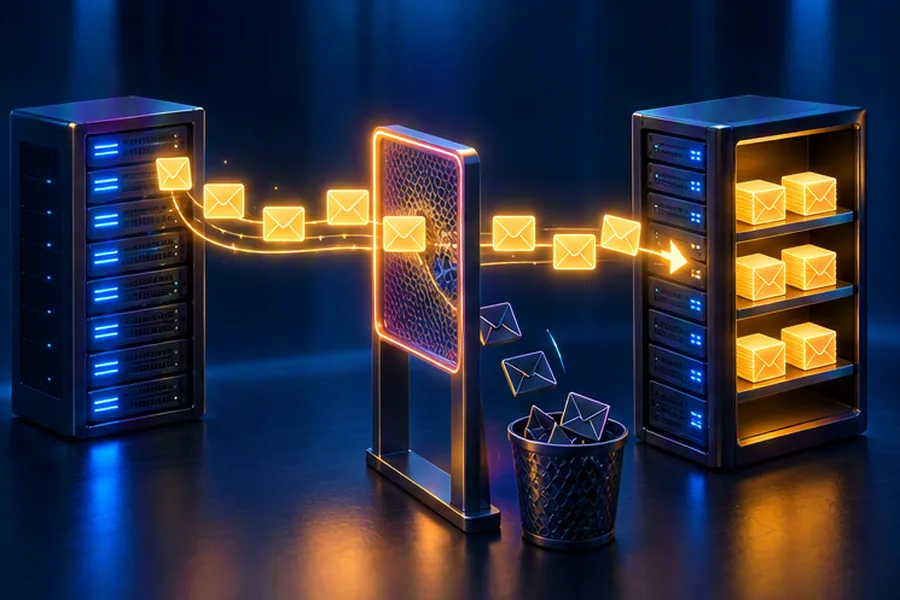
- Email is a federated protocol: SMTP moves mail between servers (found via MX records), IMAP/POP3 or a web API lets clients read it. Your system must speak SMTP to the rest of the internet.
- Shard everything by user. Metadata, labels, threads and the search index for a user live together; bodies and attachments go to blob storage, attachments deduplicated by content hash.
- Search is per-user: a small inverted index per mailbox, not one global index.
- Spam filtering is a funnel: connection reputation and rate limits → SPF/DKIM/DMARC → content and ML classifiers → user feedback loop.
- Threading uses
Message-ID/In-Reply-To/Referencesheaders, with a normalised-subject fallback.
"Design Gmail" is harder than it sounds because email is not your system alone. Mail arrives from millions of servers you do not control, using a protocol designed in the early 1980s, and a large share of it is spam. You must store huge, mostly cold mailboxes cheaply, yet search them instantly. A strong answer shows you understand both the protocol layer and the storage layer.
This guide designs an email service at Gmail-like scale. Google's internal implementation is only partly public, so treat this as a sound reference design rather than a description of Google's exact systems.
Step 1: Requirements
Functional
- Send email to any address on the internet and receive email from anywhere.
- View inbox and labels, sorted by time, grouped into conversation threads.
- Labels (Inbox, Sent, Starred, user-defined), archive, delete, read/unread.
- Full-text search across the mailbox with operators (
from:,has:attachment,after:). - Attachments up to 25 MB (larger files shared as links).
- Spam and phishing filtering; spam folder with "not spam" feedback.
- Access via web, mobile apps and standard IMAP/SMTP clients like Outlook or Thunderbird.
Non-functional
- Durability is sacred: once the service accepts a message (SMTP 250 OK), it must never be lost. Email is legal and financial record for many people.
- High availability for both receiving and reading.
- New mail visible within seconds; search finds it within seconds.
- Strong privacy and security: encryption in transit and at rest, strict per-user isolation.
- Cost efficiency: storage grows forever and most of it is rarely read.
Step 2: Email Protocol Basics (SMTP, IMAP, POP3)
Interviewers are not testing RFC trivia, but you need the flow right because it shapes the architecture.
Sending path: Priya at gmail.com emails Rahul at company.in
- Submission. Priya's client submits the message to her provider's submission server (SMTP on port 587 with authentication, or via a web/HTTP API in the browser).
- MX lookup. The outbound server queries DNS for the MX record of
company.in, which lists the receiving mail servers with priorities. - Relay. It opens an SMTP connection to the highest-priority MX host on port 25, upgrades to TLS with STARTTLS when offered, and runs the SMTP dialogue:
EHLO,MAIL FROM,RCPT TO,DATA, then the message. - Acceptance. The receiving server responds
250 OKonce it has durably stored the message. From that moment it is responsible for delivery. A4xxreply means "try again later";5xxmeans permanent failure, and the sender generates a bounce. - Retrieval. Rahul's client fetches the mail over IMAP (port 993 with TLS), POP3, or the provider's own API.
| Protocol | Purpose | Key property |
|---|---|---|
| SMTP (RFC 5321) | Server-to-server relay and client submission | Push-based, store-and-forward; senders retry for days |
| IMAP (RFC 9051 for IMAP4rev2) | Client access to server-side mailbox | Mail stays on server; flags and folders sync; IDLE for push |
| POP3 | Download mail to one device | Simple, but poor multi-device experience |
| Message format (RFC 5322 + MIME) | Headers, body, attachments | Message-ID, In-Reply-To, References enable threading |
An important consequence: SMTP's store-and-forward model means a sender will retry if your inbound servers return 4xx or are unreachable. That gives you a safety valve under overload; you can temporarily defer (greylist) rather than drop.
Step 3: Capacity Estimates
| Quantity | Assumption / math | Result |
|---|---|---|
| Users | Assumption | 200 million active |
| Inbound messages accepted | 40 per user per day (after early spam rejection) | 8 billion/day ≈ 93,000/s avg, ~280k/s peak |
| Outbound messages | 5 per user per day | 1 billion/day ≈ 11,500/s |
| Average body size (compressed) | Assumption, HTML newsletters included | ~10 KB |
| Body storage per day | 8B × 10 KB | ~80 TB/day |
| Attachments | 5% of messages, ~1 MB average | ~400 TB/day before dedup |
| Metadata per message | Headers summary, labels, thread, refs ≈ 1 KB | ~8 TB/day |
| Per user mailbox | Assume 15 GB quota, median use far lower | Long-tail: a few heavy users dominate |
Storage grows by hundreds of terabytes a day, mostly attachments and old mail nobody reopens. Reads are heavily skewed to recent mail: inbox listings and the last few days. That points to hot metadata on fast storage, bodies and attachments on cheap blob storage, and aggressive deduplication. Newsletters sent to millions of users are a big dedup opportunity.
Step 4: API Design
GET  /v1/threads?label=INBOX&page_token=...&limit=50
     -> [ { thread_id, subject, snippet, participants, last_ts, unread, labels } ]

GET  /v1/threads/{thread_id}             -> full messages (bodies fetched lazily)
GET  /v1/messages/{id}/attachments/{aid} -> signed URL to blob storage

POST /v1/messages:send
     { to, cc, bcc, subject, body_html, attachment_ids, in_reply_to }
     -> { message_id, thread_id }  (queued for delivery)

POST /v1/messages:modify   { ids: [...], add_labels: [...], remove_labels: [...] }
GET  /v1/search?q=from:hr@razorpay.com has:attachment after:2026/09/01
GET  /v1/history?since=<history_id>      -> incremental changes for sync
Standard clients use IMAP and SMTP submission instead, through a protocol gateway that translates IMAP commands into the same internal mailbox service calls. The history endpoint, a per-user change log, is what makes efficient multi-device sync possible (more below).
Step 5: High-Level Architecture
Deep Dive 1: Mailbox Storage
The defining access pattern is "everything for one user": list my inbox, open my thread, search my mail. There are almost no cross-user queries. So shard by user_id and keep each user's data together. Sharding strategies and the hot-shard problem are covered in database sharding explained.
Tables in a wide-column store (Bigtable, HBase or Cassandra style)
| Table | Row key | Contents |
|---|---|---|
| messages | user_id | message_id | Parsed headers (from, to, subject, date), snippet, thread_id, labels set, flags, body blob ref, attachment refs, size |
| threads | user_id | thread_id | Message IDs, participants, latest timestamp, union of labels, unread count |
| label_index | user_id | label | reverse_ts | thread_id | Empty value; row exists while the thread has the label |
| history | user_id | history_id | Change records (added, label changed, deleted) for sync |
| threading_keys | user_id | Message-ID header | thread_id, used to attach replies |
Listing "Inbox, newest first" is a single prefix scan on label_index with prefix user_id|INBOX|. Using a reversed timestamp (max_long − ts) makes the newest rows sort first. Archiving a thread removes one index row; starring adds one. No message bodies move.
Why labels, not folders
A folder model forces each message into exactly one place, so "Work and Starred" needs copies. With labels, a message carries a set of tags and each label has its own index. Folders in IMAP clients are emulated by exposing each label as a folder through the gateway.
Bodies in blob storage
Raw MIME bodies go to blob storage, keyed by content hash, compressed, encrypted with per-user or per-tenant keys. Metadata rows hold references only. This keeps the metadata store small and fast (it fits the hot working set in memory/SSD) while bulk bytes sit on cheap, durable storage; how such stores achieve durability through replication and erasure coding is discussed in object storage system design. Older mail can move to colder storage classes automatically.
Deep Dive 2: Attachments and Deduplication
- Extract. On delivery, parse the MIME tree and split out attachments.
- Hash. Compute SHA-256 of each attachment's decoded content.
- Dedupe. If the hash exists in the blob store, increment its reference count; otherwise upload it. A newsletter PDF sent to 2 million users is stored once (plus replicas), not 2 million times.
- Scan. Virus and malware scanning happens before the message is visible; executable attachments are blocked outright.
- Serve. Clients download through short-lived signed URLs, so app servers do not proxy bytes. Previews (thumbnails, PDF render) are generated lazily and cached.
Two caveats. Deduplication across users can leak information (an attacker checks whether a specific file exists by uploading it and timing the response), so dedupe silently on the server side and never expose whether a hash was already present. And reference counting must be careful on delete: decrement transactionally, and garbage-collect blobs with zero references after a grace period, never immediately. For files beyond 25 MB, the composer uploads to a file-sharing service and inserts a link, which is the approach described in Google Drive / Dropbox system design.
Deep Dive 3: Conversation Threading
RFC 5322 gives every message a unique Message-ID. Replies carry In-Reply-To (the parent's ID) and References (the chain of ancestors). Threading per user:
- Look up
In-Reply-Toand each entry ofReferences(newest first) in the user'sthreading_keystable. If any is found, join that thread. - If headers are missing (some clients and many automated systems strip them), fall back to a normalised subject (remove "Re:", "Fwd:", "RE:", "AW:", whitespace, case) when the message looks like a reply and the subject was seen within a recent window.
- Otherwise, start a new thread.
The subject fallback needs guards. Two unrelated emails titled "Invoice" must not merge, which is why it requires a reply prefix and a time window. Gmail also splits threads when they exceed a maximum size.
import re
from datetime import datetime, timedelta

PREFIX = re.compile(r"^\s*((re|fwd?|aw|sv)\s*(\[\d+\])?\s*:\s*)+", re.IGNORECASE)


def normalize_subject(s: str) -> str:
    return PREFIX.sub("", s or "").strip().lower()


class Threader:
    """Assigns each incoming message of ONE mailbox to a thread."""

    def __init__(self, subject_window=timedelta(days=7)):
        self.thread_of_msgid = {}          # Message-ID -> thread_id
        self.last_by_subject = {}          # normalized subject -> (thread_id, last_time)
        self.window = subject_window
        self.next_id = 1

    def assign(self, msg_id, subject, date, in_reply_to=None, references=()):
        thread = None
        # 1. Header-based: any referenced Message-ID we already know.
        for ref in [in_reply_to, *reversed(references)]:
            if ref and ref in self.thread_of_msgid:
                thread = self.thread_of_msgid[ref]
                break
        # 2. Fallback: same normalized subject, recent, and message looks like a reply.
        norm = normalize_subject(subject)
        is_reply = norm != (subject or "").strip().lower()
        if thread is None and is_reply and norm in self.last_by_subject:
            tid, last = self.last_by_subject[norm]
            if date - last <= self.window:
                thread = tid
        # 3. Otherwise start a new thread.
        if thread is None:
            thread = f"t{self.next_id}"
            self.next_id += 1
        self.thread_of_msgid[msg_id] = thread
        self.last_by_subject[norm] = (thread, date)
        return thread


t = Threader()
d = datetime(2026, 10, 10, 9, 0)
print(t.assign("<a@x>", "Offer letter - Razorpay", d))                       # t1
print(t.assign("<b@y>", "Re: Offer letter - Razorpay", d + timedelta(hours=1),
               in_reply_to="<a@x>", references=["<a@x>"]))                 # t1 via headers
print(t.assign("<c@z>", "RE: Re: Offer letter - Razorpay", d + timedelta(hours=2)))  # t1 via subject
print(t.assign("<d@x>", "Offer letter - Razorpay", d + timedelta(days=30)))   # t2: not a reply
print(t.assign("<e@w>", "Fwd: Offer letter - Razorpay", d + timedelta(days=60))) # t3: outside windowimport java.time.Duration;
import java.time.Instant;
import java.util.*;
import java.util.regex.Pattern;
public class Threader {
private static final Pattern PREFIX =
Pattern.compile("^\\s*((re|fwd?|aw|sv)\\s*(\\[\\d+\\])?\\s*:\\s*)+", Pattern.CASE_INSENSITIVE);
private final Map<String, String> threadOfMsgId = new HashMap<>();
private final Map<String, Map.Entry<String, Instant>> lastBySubject = new HashMap<>();
private final Duration window = Duration.ofDays(7);
private int nextId = 1;
static String normalize(String s) {
return PREFIX.matcher(s == null ? "" : s).replaceFirst("").trim().toLowerCase();
}
public String assign(String msgId, String subject, Instant date,
String inReplyTo, List<String> references) {
String thread = null;
List<String> refs = new ArrayList<>();
refs.add(inReplyTo);
List<String> rev = new ArrayList<>(references);
Collections.reverse(rev);
refs.addAll(rev);
for (String r : refs) {
if (r != null && threadOfMsgId.containsKey(r)) { thread = threadOfMsgId.get(r); break; }
}
String norm = normalize(subject);
boolean isReply = !norm.equals(subject == null ? "" : subject.trim().toLowerCase());
if (thread == null && isReply && lastBySubject.containsKey(norm)) {
Map.Entry<String, Instant> e = lastBySubject.get(norm);
if (Duration.between(e.getValue(), date).compareTo(window) <= 0) thread = e.getKey();
}
if (thread == null) thread = "t" + nextId++;
threadOfMsgId.put(msgId, thread);
lastBySubject.put(norm, Map.entry(thread, date));
return thread;
}
public static void main(String[] args) {
Threader t = new Threader();
Instant d = Instant.parse("2026-10-10T09:00:00Z");
System.out.println(t.assign("<a@x>", "Offer letter - Razorpay", d, null, List.of()));
System.out.println(t.assign("<b@y>", "Re: Offer letter - Razorpay",
d.plus(Duration.ofHours(1)), "<a@x>", List.of("<a@x>")));
System.out.println(t.assign("<c@z>", "RE: Re: Offer letter - Razorpay",
d.plus(Duration.ofHours(2)), null, List.of()));
}
}Dry run
| Message | Subject | Rule that fired | Thread |
|---|---|---|---|
| a, day 0 | Offer letter - Razorpay | Nothing known, new thread | t1 |
| b, +1 h | Re: Offer letter… | In-Reply-To = a is known | t1 |
| c, +2 h | RE: Re: Offer letter… | No headers, but reply prefix + same normalised subject within 7 days | t1 |
| d, +30 days | Offer letter - Razorpay | Not a reply (no prefix), new thread | t2 |
| e, +60 days | Fwd: Offer letter… | Subject last seen 30 days ago, outside window | t3 |
Note that threading is per mailbox: the sender's "Sent" copy and the recipient's inbox copy are threaded independently, because each user's mailbox is a separate world. In the storage layer, the in-memory maps above become the threading_keys table.
Deep Dive 4: Per-User Search Index
A global inverted index over all mail would be enormous, and every query would need a user_id filter anyway. Instead, build a separate small inverted index per user, stored in the same shard as the mailbox. A typical mailbox has thousands to a few hundred thousand messages, so its index is small, and a query touches only that one shard.
- What is indexed: tokenised subject and body text, sender and recipient addresses, attachment file names (and extracted text from common document types), labels, dates, sizes.
- Structured operators (
from:,has:attachment,larger:10M,after:) map to fields; free text maps to the body/subject postings. - Updates: delivery writes the message, then publishes an event; an indexer appends to the user's index within seconds. Recent additions sit in a small in-memory segment merged periodically, the same segment approach Lucene uses (explained in Elasticsearch and inverted indexes).
- Ranking: mostly recency, boosted by sender importance and term matches in subject.
- Cold users: indexes for inactive users can be evicted from fast storage and loaded on first search.
The general lesson for interviews: partition the index the same way you partition the data when queries are always scoped to one partition. Global web-style search requires document-partitioned fan-out; per-user email search does not.
Deep Dive 5: Spam and Phishing Filtering
Spam filtering is a funnel: reject as much as possible cheaply at the edge, then spend expensive computation only on what survives.
| Stage | Checks | Action |
|---|---|---|
| 1. Connection | Sender IP reputation, DNS blocklists, reverse DNS, connection and recipient rate limits per IP | Reject or defer (4xx) before the message body is even sent |
| 2. Authentication | SPF (is this IP allowed to send for the domain?), DKIM (is the signature valid?), DMARC (do they align with the visible From domain; what is the domain's policy?) | Reject, quarantine or penalise per DMARC policy |
| 3. Content | Virus scan, URL reputation, ML classifier on text, HTML structure, images, sender history | Spam score |
| 4. Personalisation | Has this user corresponded with the sender? Did they mark similar mail as spam? | Adjust score per user |
| 5. Feedback | "Report spam" / "Not spam" clicks | Training data and sender reputation updates |
Since February 2024, Gmail has required bulk senders (around 5,000 or more messages a day to Gmail addresses) to authenticate with SPF, DKIM and DMARC, offer one-click unsubscribe and keep reported spam rates low. That is a good real-world detail to mention, especially for Indian companies sending OTP and transactional mail at scale.
Rate limiting at the connection stage uses the same algorithms as any API gateway; see rate limiter system design. Phishing deserves special handling: lookalike domains (paypa1.com), display-name spoofing of the user's own bank or employer, and links to newly registered domains get warnings in the UI even when the message is not classified as spam.
Deep Dive 6: Outbound Delivery
- Accept and persist. The send API validates, stores the message in the user's Sent label and enqueues one delivery job per recipient domain.
- Sign. A DKIM signer adds a signature using the domain's private key.
- Resolve and connect. MX lookup (cached per TTL), connect with TLS, deliver. Connection pools per destination domain respect each receiver's limits.
- Retry. On 4xx or network failure, retry with exponential backoff. RFC 5321 suggests continuing to retry for at least 4–5 days before giving up.
- Bounce. On 5xx or timeout, generate a delivery status notification to the sender.
- Protect reputation. Per-user sending limits stop compromised accounts from spraying spam and damaging the shared IP reputation that all users depend on.
Internal recipients (gmail.com to gmail.com) skip SMTP entirely and go straight to the delivery service, which is faster and cheaper.
Deep Dive 7: Multi-Device Sync and Push
Every mailbox mutation (new message, label change, read flag) appends a record to the user's history log with a monotonically increasing history_id. A client remembers the last history_id it saw and calls GET /history?since=... to get only changes, instead of re-downloading the inbox. If the client is too far behind (history trimmed), it does a full resync.
To learn that something changed without polling, open web clients keep a persistent connection (WebSocket or long polling), mobile apps receive a push notification through APNs/FCM, and IMAP clients use the IDLE command. The push only says "something changed"; the client then pulls history. Transport trade-offs are covered in WebSockets vs SSE vs long polling.
Bottlenecks and Trade-offs
| Concern | Choice | Trade-off |
|---|---|---|
| Mailbox store | Wide-column, sharded by user | Great per-user scans; cross-user analytics need a separate pipeline |
| Heavy users | Some mailboxes hold millions of messages | Split very large users across sub-shards by time range |
| Attachment dedup | Content-hash, ref counts | Big savings; careful GC and side-channel protection needed |
| Spam strictness | Aggressive filtering | Fewer spam complaints vs lost legitimate mail (false positives are worse for users) |
| Search freshness | Async indexing | Seconds of delay vs slowing delivery |
| Encryption | Server-side keys | Enables search and spam filtering; true end-to-end encryption would disable both |
What Interviewers Look For
Protocol awareness
You know MX lookup, SMTP relay, 250 vs 4xx vs 5xx, and that the outside world talks SMTP to you.
User-centric partitioning
Mailbox, threads, labels and search index sharded by user, with metadata separated from blobs.
Durability discipline
Persist before acknowledging; retries and bounces on the outbound side.
Spam as a funnel
Cheap checks first, SPF/DKIM/DMARC explained correctly, ML and feedback loops last.
Common mistakes
- Designing a chat app: no SMTP, no MX, no federation with other providers.
- Storing attachments inside the database rows.
- One global Elasticsearch index for everyone's mail with a user filter on every query.
- Replying 250 OK before the message is durably stored.
- Copying messages for each label instead of using a label index.
- Confusing SPF with DKIM, or claiming they alone stop spam (they prove the sender is who they claim, not that the mail is wanted).
Practise this design alongside other storage-heavy problems; the per-user partitioning and metadata/blob split reappear in Drive, Photos and chat backups. For authentication and account security around the mailbox itself, see authentication and SSO system design.
Frequently Asked Questions
Master System Design Interviews
Prepflix's system design course walks through storage-heavy designs like Gmail, Drive and S3, with mock interviews that test your trade-off reasoning.
Explore the Prepflix Course →