

Contents
Topic 01
Why MLOps Exists
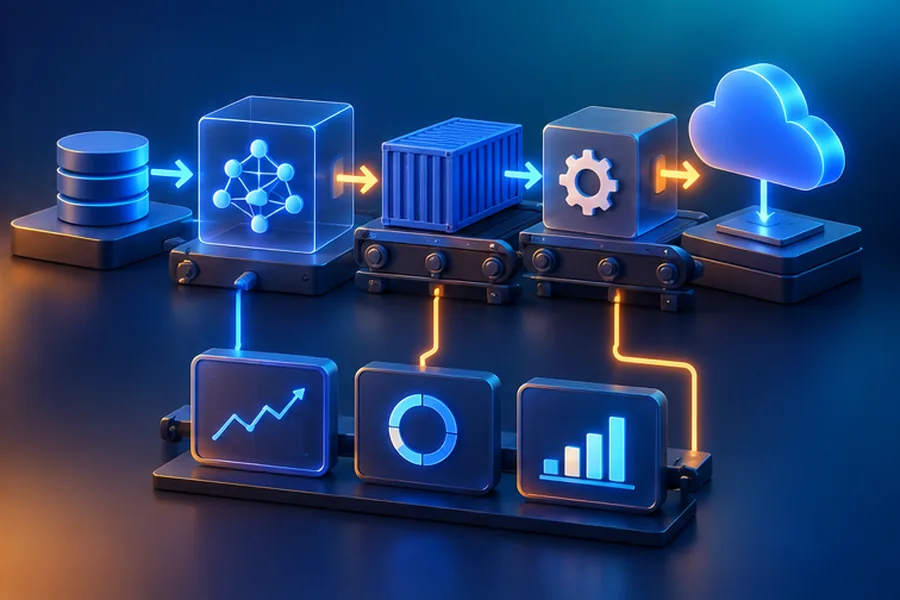
You've trained a model with 94% accuracy on your laptop. Congratulations. Now: how do you deploy it? How do you know if it degrades after deployment? How do you retrain it when new data arrives? How do you roll back if the new model performs worse? These are MLOps problems.
Traditional software: code goes through git → CI/CD → production. ML: code + data + model all need versioning, testing, and monitoring. A model that was accurate in January can silently fail in June if user behavior changes.
Topic 02
Experiment Tracking: MLflow & W&B
Have you ever trained 30 model variants and forgotten which hyperparameters gave the best result? Experiment tracking tools log every run automatically.
| Feature | MLflow | Weights & Biases |
|---|---|---|
| Hosting | Self-hosted (great for enterprises) | Cloud SaaS |
| Cost | Free (infrastructure costs only) | Free tier, paid plans |
| Dashboards | Basic | Rich, interactive, beautiful |
| Model registry | Built-in | Built-in |
| Best for | Regulated industries, on-prem | Research teams, startups |
Topic 03
Model Serving: FastAPI
- Load the model at startup using
@app.on_event("startup")or at module level - Use Pydantic models for request/response — auto-validation + auto-docs
- Add
/healthand/metricsendpoints for load balancer checks - Use async endpoints for I/O-bound work; sync for CPU-bound (model inference)
Topic 04
Docker for ML
Docker packages your model + dependencies + code into a reproducible container. "It works on my machine" is no longer an excuse.
Exclude from Docker build context: __pycache__, .git, *.pyc, data/, *.csv, large model files, .env secrets. Without it, Docker sends your entire project directory (potentially GBs) to the build daemon, making builds very slow.
Topic 05
CI/CD Pipelines for ML
The evaluate.py --min-auc 0.85 step is crucial. It blocks deployment if the new model performs below the threshold. Without this, a bad commit that breaks feature preprocessing would silently deploy a worse model to production. Always gate on a minimum performance threshold.
Topic 06
Monitoring & Drift Detection
- Data drift: Input distribution changes — fraud patterns shift seasonally, user demographics change. Detect by comparing feature distributions over time (KL divergence, PSI score)
- Concept drift: The relationship between features and target changes — a feature that was predictive in 2024 may not be predictive in 2026
- Prediction drift: Model outputs shift — more predictions in one class than expected
- Performance degradation: Track business metrics: precision, recall, revenue impact
- Log every prediction with timestamp, input features, output, and ground truth (when available)
- Track p-value of feature distribution differences (train vs recent production)
- Set up alerts when AUC drops below threshold or prediction distribution shifts by >10%
- Shadow mode: run new model in parallel with old before full switchover
Topic 07
Cloud ML Deployment
| Option | Best for | Key advantage |
|---|---|---|
| AWS SageMaker | Enterprises, compliance-heavy industries | Managed everything: training, serving, monitoring, Feature Store |
| GCP Vertex AI | Teams using GCP, TPU access needed | AutoML, Kubeflow Pipelines, best TPU ecosystem |
| Modal | Startups, serverless GPU inference | Pay per millisecond, zero infrastructure management |
| Hugging Face Spaces | Demos, open-source models | Free tier, GPU-backed, perfect for model demos |
| Railway / Render | Small APIs, side projects | Deploy Docker containers in minutes, cheap |
SageMaker training jobs on spot instances can save 60-70% on GPU costs. The risk: spot instances can be interrupted. Mitigate by enabling checkpointing every N steps — if interrupted, resume from last checkpoint. For training jobs longer than 1 hour, this is almost always worth it.