

Contents
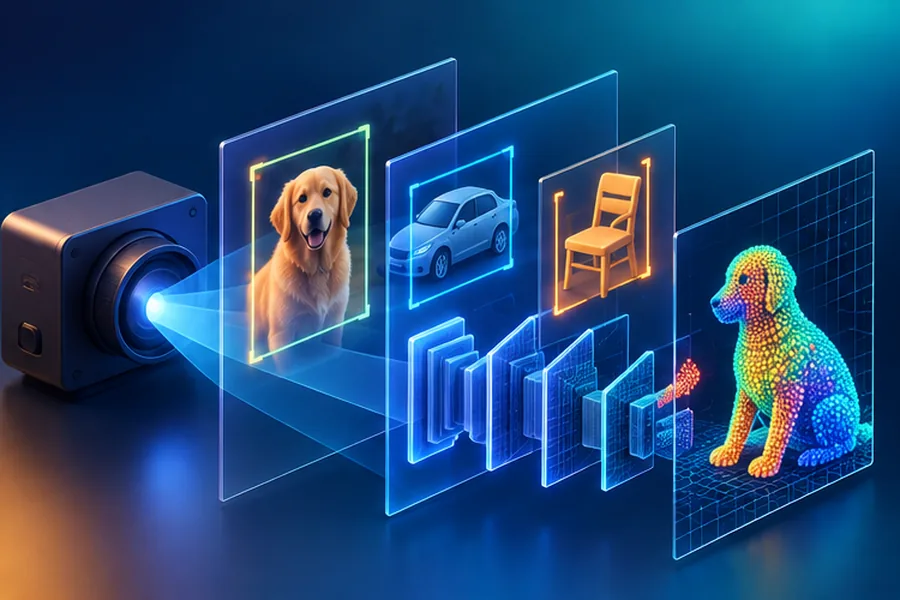
Topic 01
What Is an Image to a Computer?
A color image is a 3D array of shape (Height, Width, Channels). A 640×480 RGB image has 640×480×3 = 921,600 numbers. Each pixel has three values: Red, Green, Blue — each between 0 (dark) and 255 (bright).
RGB image = 3 channel matrices stacked — each pixel is (R, G, B) triple
Before feeding images to neural networks, normalize pixel values to [0, 1] or [-1, 1]. This prevents gradient explosion and makes training 10× more stable. Also subtract the dataset mean and divide by std per channel (ImageNet normalization: mean=[0.485, 0.456, 0.406], std=[0.229, 0.224, 0.225]).
Topic 02
OpenCV Fundamentals
OpenCV is the industry-standard library for image processing — used in production at Google, Meta, and every robotics company. Essential operations:
OpenCV reads images as BGR (Blue-Green-Red), not RGB. If you feed an OpenCV image directly to a model trained on RGB data (PyTorch, torchvision), colors will be wrong. Always convert: cv2.cvtColor(img, cv2.COLOR_BGR2RGB) before preprocessing.
Topic 03
The Convolution Operation
A convolution filter (kernel) is a small matrix (e.g., 3×3) that slides across the image. At each position, it computes the dot product of the filter and the image patch beneath it. This produces a feature map.
Convolution: sliding a 3×3 filter over the image, computing dot products → feature map
Each filter detects a specific pattern. Early layers in a trained CNN have filters that look like edge detectors (similar to the Sobel filter above). Deeper layers have filters that respond to complex textures, then parts of objects, then whole objects.
Topic 04
CNN Architectures: ResNet, EfficientNet & ViT
| Architecture | Key Innovation | Best for | ImageNet Top-1 |
|---|---|---|---|
| ResNet-50 | Skip connections (highway bypasses) | General vision, fine-tuning baseline | 76% |
| EfficientNet-B4 | Compound scaling (width+depth+resolution) | Best accuracy/compute tradeoff | 83% |
| ViT-Base | Treat image patches as tokens, use transformers | Large-scale datasets, SOTA accuracy | 81% |
| ConvNeXt | Modernized ResNet with transformer design choices | Production, matches ViT with fewer resources | 82% |
Skip Connections: the highway bypass
Very deep networks (100+ layers) fail to train — gradients vanish before reaching early layers. ResNet's solution: add a shortcut connection that bypasses layers. If a layer learns nothing useful, its output is just the input passed through unchanged. This "identity shortcut" lets gradients flow directly through deep networks.
Topic 05
Object Detection: YOLO & Faster R-CNN
Object detection = find every object in an image AND say what it is. Output: bounding boxes [x, y, w, h] + class labels + confidence scores.
| Approach | Speed | Accuracy | How it works |
|---|---|---|---|
| YOLO (v5/v8) | Real-time (45+ FPS) | Good | Single forward pass — divides image into grid, each cell predicts boxes |
| Faster R-CNN | Slower (5-7 FPS) | Better | Two stages: propose regions, then classify each region |
| SSD | Fast (30+ FPS) | Medium | Single pass, multi-scale feature maps for different object sizes |
| DETR | Medium | Excellent | Transformer-based end-to-end detection, no anchor boxes needed |
YOLO is the default choice for real-time applications: autonomous vehicles, security cameras, sports tracking. For medical imaging or when false positives are very costly, use Faster R-CNN — the extra latency is worth the accuracy. YOLO v8 (by Ultralytics) is production-ready with 3 lines of Python.
Topic 06
Image Segmentation
- Semantic segmentation: Classify every pixel with a class label (road/car/person/sky). All cars are one class — can't distinguish individual cars
- Instance segmentation: Detect AND segment each individual object. Car #1 vs Car #2 are different instances. Mask R-CNN is the standard approach
- Panoptic segmentation: Combines both — semantic for background (road, sky) + instance for foreground objects
Topic 07
GANs & Diffusion Models
Art forger vs art critic
GANs have two networks: a Generator (creates fake images) and a Discriminator (distinguishes real from fake). They train against each other: the generator gets better at fooling the discriminator, which gets better at detecting fakes. Equilibrium = photorealistic images.
Learn to denoise → generate
Diffusion models add Gaussian noise to images over 1000 steps until it's pure noise. Then train a neural network to reverse this process — denoise step by step. At inference: start with pure noise, apply the denoiser 1000 times → coherent image. This is how Stable Diffusion, DALL·E 3, and Midjourney work.
GANs are notoriously hard to train (mode collapse, training instability). Diffusion models are more stable to train and produce better diversity. However, they're 10-100× slower at inference. Current research (consistency models, flow matching) is closing this gap.
Topic 08
Computer Vision Metrics
| Metric | Task | What it measures |
|---|---|---|
| Top-1 / Top-5 Accuracy | Classification | Is correct label in top 1/5 predictions? |
| IoU | Detection/Segmentation | Intersection over Union of predicted vs ground-truth box |
| mAP | Object Detection | Mean Average Precision across all classes and IoU thresholds |
| FID | Image Generation | Fréchet Inception Distance — lower = more realistic generated images |
| SSIM | Image Quality | Structural Similarity — matches human perception of image quality |